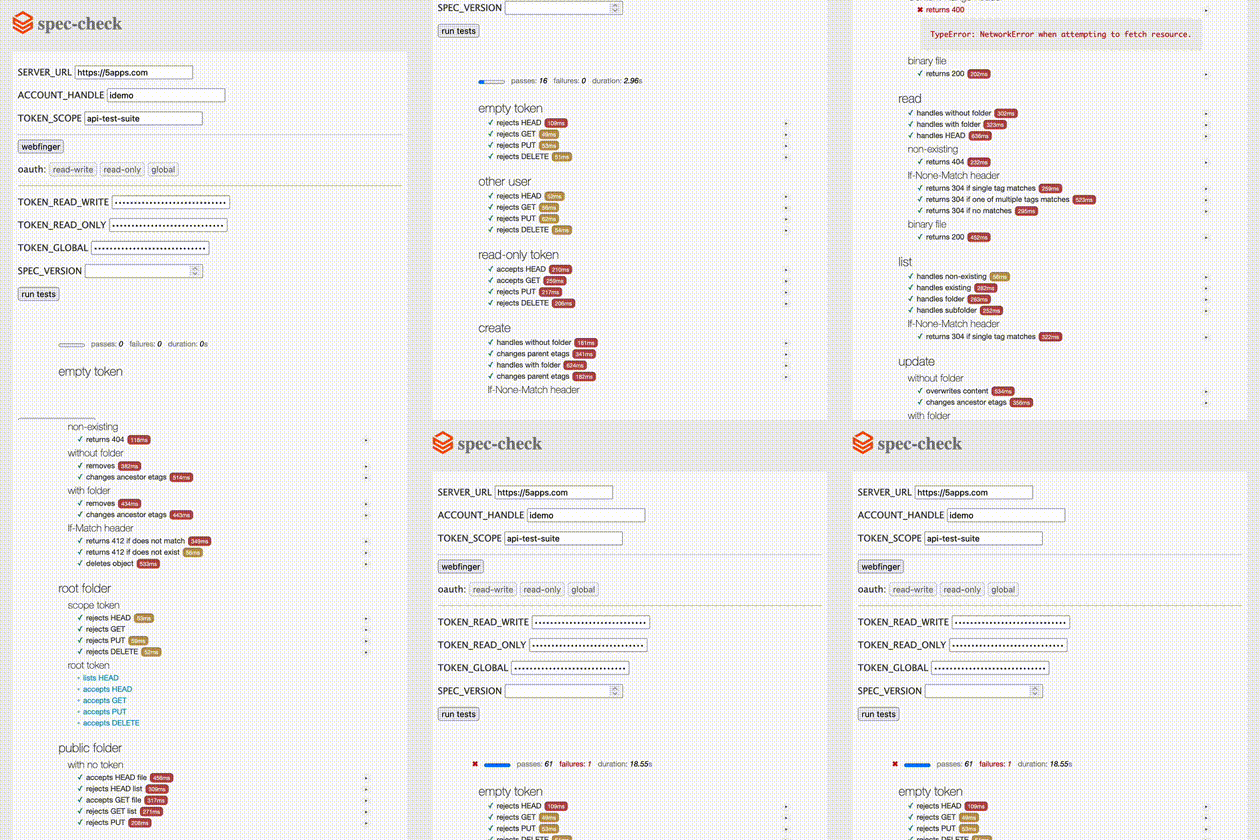
I’m working on a refactor of api-test-suite that I’m calling spec-check which should be more up-to-date until version 22.
It’s ported to JavaScript so Mocha can run it in the browser, and there’s built-in token generation to streamline configuration; kind of like a browser-based ‘validator’ tool.
Of course it’s still possible to set environment variables and test locally on your machine.
Tests no longer depend on other tests which should simplify debugging and isolation. If I’ve missed any, be welcome to add them.
The spec version to test comes from the webfinger response by default, but you can also use the browser version to say “test that this server conforms to version X”.
Also, Mocha has this grep option so you can filter tests in the browser, for example public folder with no token.
I’m hoping some of you can help me solve why the browser requests work on my local machine but not on the public deployment – getting lots of error 405 for some reason
The 405s are resulting from trying to PUT to GitHub Pages I think:
PUT https://spec-check.0data.app/storage.kosmos.org/jimmy/api-test-suite/202602110754322278bx5r33t5dk/20260211075432227jh2d3itpsv
I had to click the Webfinger button again before getting each token, which wasn’t obvious to me. Maybe that could be improved. If all tokens are required (which seems like it’s the case), then that could also be made more obvious perhaps.
I think we might want to retire the old test suite at some point and turn this into the “official” compliance tester under a remotestorage.io (or .org) subdomain.
Huh! I see that now, but not sure why it happens, as the debugger seems to show the correct URL passed to fetch. I did notice earlier that the Sec-Fetch-Site header seems to be set to same-origin for some reason, maybe that’s a GitHub thing that will fix itself with other hosting.



 . No issue for me to move it to the rs org also.