Inbox RS - Manage tasks, and don't forget that thing you wanted to do

Hi All, I’ve been working on a new app, or collection of apps, called Inbox RS. The main concept is to get as many simple and fast ways to input data to your “inbox” in an as frictionless way as possible.

To do that, I’ve created a browser extension, a thunderbird extension, and a “braintoss-like” mobile app (Android and iOS) to quickly save notes, audio, photos, or files, directly to your remote storage backend. - Android users please test it out and let me know how it works!

You then load the main Inbox RS app, and you have these items in your inbox for processing. You can turn them in to todos or keep them simply as a reference, create collections of similar themed references or tasks - or for images, save them to Sharesome (further integrations welcome!). The idea is to clear your inbox, putting them elsewhere.

You can create groups, which can contain any number of collections (a collection is any number of todos and reference items). The group, and the collection each have a customizable color. If the collection is “active” then the todos from that collection will show up on your main todos list. They will have a colored “pill” icon the left half the group color the right half the collection color.

For example. A Household (blue) group, with a collection called Groceries (green). Any todos from that collection showing up in the main page will have blue-green pill icon next to it, so you can easily start to visualize where the todo is from.

It’s still under heavy development and the design is not set in stone, I have a laundry list of things to change and ideas to try. I don’t want to make this an “everything app” but I do want at least to have basic todo functionality to reduce friction and to get in the habit of having this be the always-check-in app.

  • Extensions and mobile app: I still need to publish these, now that I’ve announced the app here, maybe it’s time to publish the extensions and investigate avenues for publishing the Flutter app.
  • Audio transcription used to work, but right now is broken, need to investigate.
  • For now, no video allowed. Not sure it makes sense to have it at all.

Ideas, comments, feedback welcome!

Github:
1 Like

Sounds fantastic!

I guess this is a good kick in the butt for me to finally finish the Webmarks update that has been sitting on my hard drive for a couple of years now, which introduces folder support.

The bookmarks module already has it, so you if you use that (e.g. putting all inboxed bookmarks into an “inbox” folder in “/bookmarks”, then the data would show up in Webmarks as soon as I release that update.

2 Likes

Some feedback:

  • Trying to enter a TODO doesn’t allow choosing Inbox as a collection and doesn’t allow saving without choosing a collection. If I haven’t yet created a collection, I have to dump out to go to the collections screen (abandoning/losing the data I’ve entered), try and fail to create a collection because creating a collection requires assigning it to a group, dump out to the group creation dialog to create a default group, return to the collection creation dialog to create the collection, and then return to the TODO screen and re-enter everything from memory that I already entered before and choose the newly created collection.
  • Landing on the main screen with no storage connected says, “Enter your remoteStorage address above to view your inbox”. It would be best to not require hunting around for what this refers to. Change the text to “[Connect to your remoteStorage] to view your inbox and create items”, where “Connect to your remoteStorage” is a pseudo-link with an onclick handler to activate the user menu button.
  • Activating the user menu when logged out should autofocus the address text field.
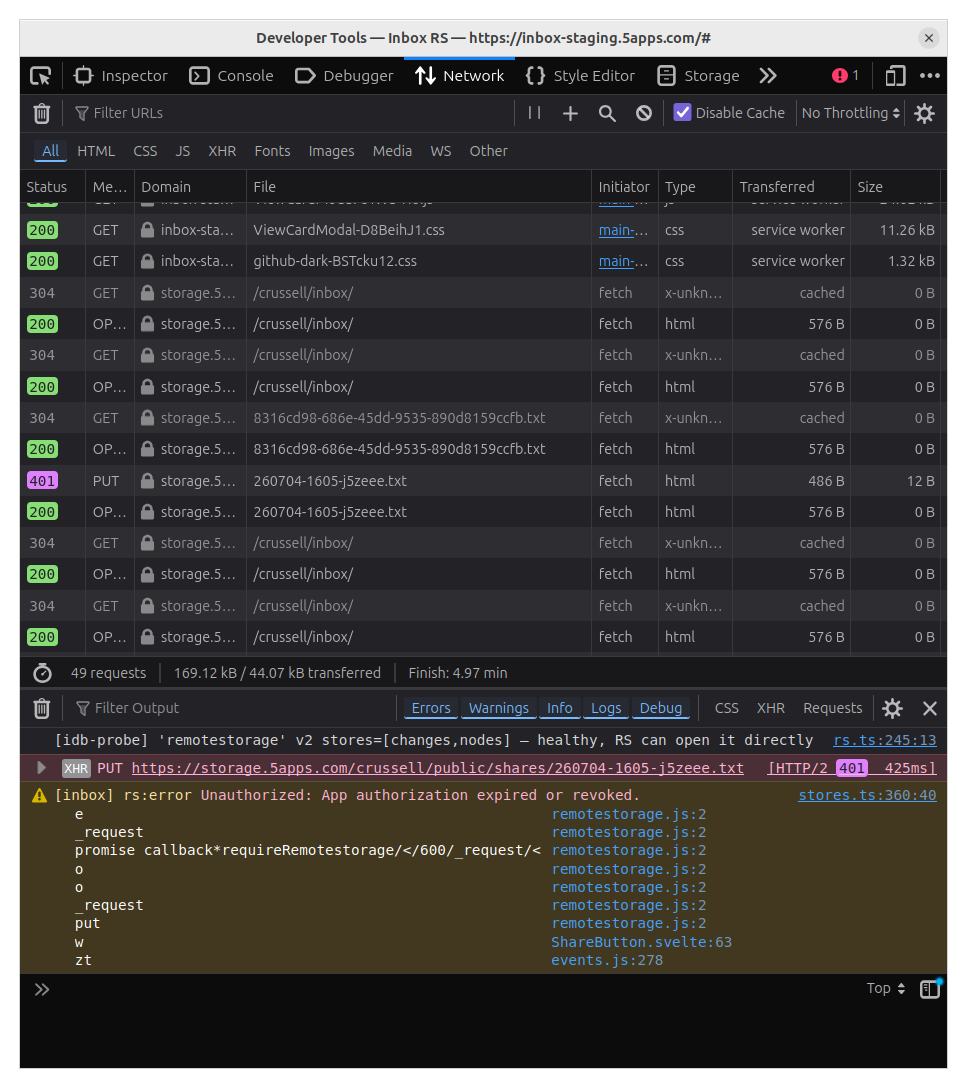
  • If I upload a file and try the “Save to Sharesome” option, I get a “Failed” feedback
    • the error console shows “Sharesome save failed: Error: File not found”
    • I know what Sharesome is. It’s not clear what this is actually supposed to do.
  • I’m seeing a lot of console.log spam.
1 Like

Hi @crussell thanks for the feedback.

Looks like you tried it out at the same time I deployed v2 which re-arranges some things and changes some of the concepts, I’m still working out the kinks.

  1. That is a good point, and goes against the principles of the app (store it now, sort it out later). This is one of issues I’ve been working on fixing - however you explained the friction better than I was doing in my head. I hope to have a fix for this ready today.

  2. and 3. are good points, I will address them

  3. Yeah I need to add more/better tests for this as it keeps breaking for unclear reasons. It should save it to sharesome and provide you a link you can copy to your clipboard.

  4. I was debugging some stuff, I’ll clean these up.

Thanks a lot for the feedback, more welcome, hope you are finding some use for the app.

1 Like

Inbox RS v2.1.0 deployed.

This fixes a lot of the conceptual issues that were introduced in 2.0 but I didn’t think out well enough. (Aplogies if you loaded the page in the past day and got a new “Uncategorized” group every page load, that has been fixed).

Much better thought out flow, a lot of little bugs address, and reduced the friction to add new items or todo. Special “Unlisted” grouping for todos that you create without selecting a collection first.

Some bugs found (and fixes proposed) in RS during the development:

@crussell I was unable to replicate the Sharesome issue, but I’ll keep trying, and if you have any more information on how to reproduce, let me know.

Steps to reproduce:

  1. Click “File” from the main (“Inbox”) screen
  2. Click the <input type="file"> input (labeled “File”)
  3. Select the file manifest from disk
  4. Click “Save”
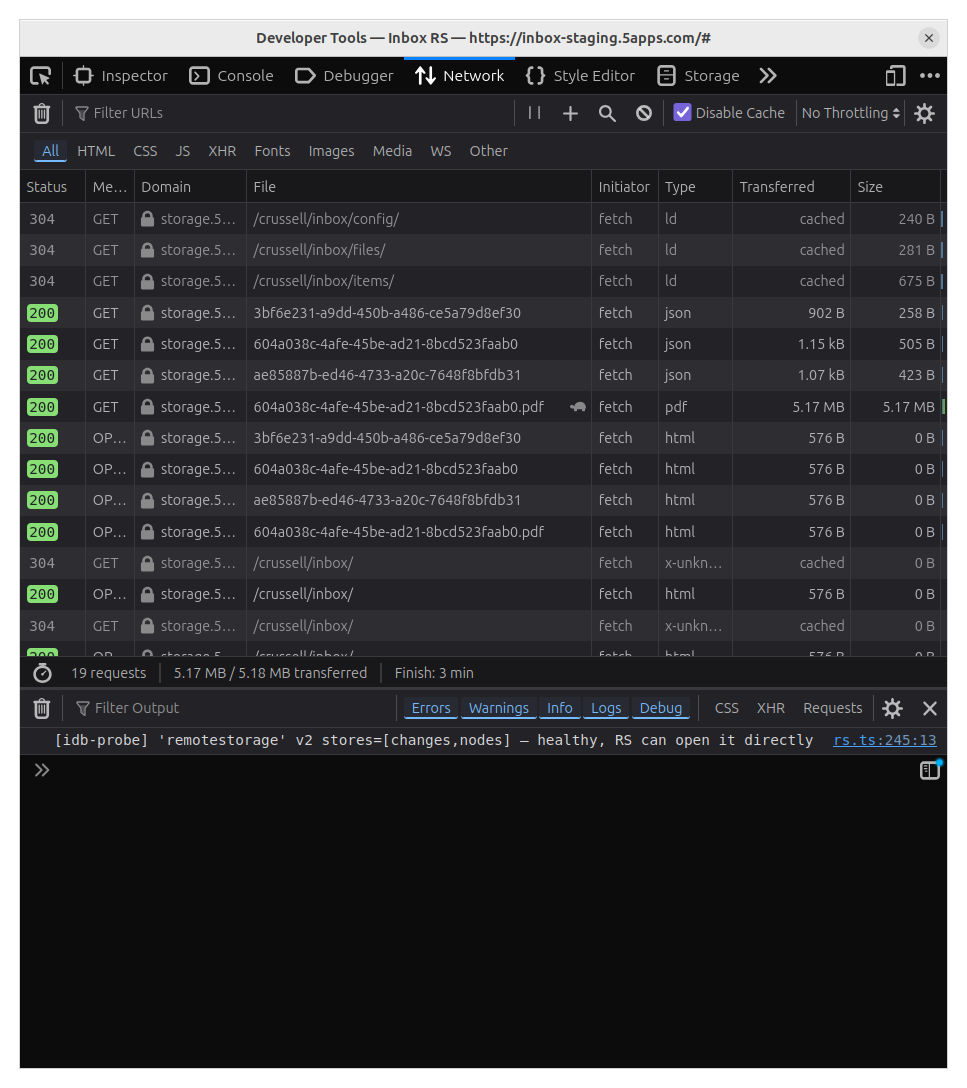
  5. Look for a successful PUT in the browser network inspector
  6. Click the newly created “manifest” item now appearing on the main screen
  7. Click the “Save to [Sharesome]” button

Expected results:

Something that indicates success related to whatever “Save to Sharesome” is
supposed to do (still not sure what this means).

Actual results:

Step 7 results in a faild XHR and the aforementioned erro message printed to
the console (line 94, column 23986; Ctrl+ or Cmd+F for “Sharesome save failed”
in https://inbox.5apps.com/assets/index-D__CJyPt.js).

If I use inspektor.5apps.com to browse the connected storage, I can see that
the completed PUT from step 5 results in a document (@context document-meta)
type item. The filePath there, however, refers to a non-existent
"files/94a75c2b-d113-4f6d-a662-b56bdaa925e2". (In fact, there is no
inbox/files/ directory present in my storage at all.) The network inspector
doesn’t reveal any other PUT or any attempted modifications (whether failed or
otherwise) for any other resource besides the metadata file observed during
this step.

These steps result in the same/similar results when attempted with another
file (main.brs). Both manifest and main.brs come from a junk folder on
my disk. They are originally from the contents of:

https://raw.githubusercontent.com/rokudev/samples/refs/heads/master/utilities/RokuDIALSDK/samplecode/BrightScript/2DVideo.zip

(Which is currently the same as https://github.com/rokudev/samples/raw/97ad34d/utilities/RokuDIALSDK/samplecode/BrightScript/2DVideo.zip).

Please consider enabling source maps (or better: publishing an alternative “full-fat” unminified version of the app accessible at e.g. https://inbox.5apps.com/fat/).